
Our editor needs one photo of one person plus one clothing reference image. Text is optional additional instruction. It does not support text-only image generation, multiple people, pets, video, makeup changes or background editing.
Choose the clothes before the Halloween scene
Choose a silhouette you would actually wear, then check what you already own. A costume does not need a new setting to be recognizable. For this photo workflow, keep the person’s existing scene and use the reference to explain the clothes.
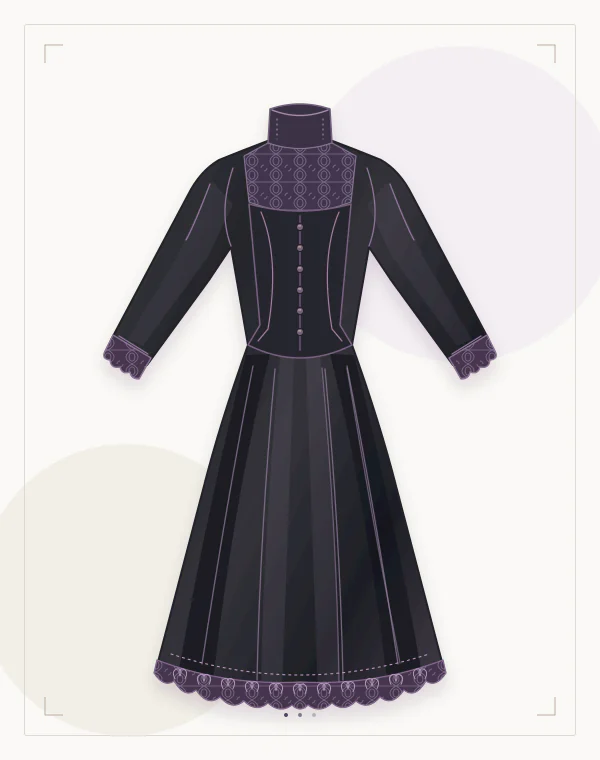
The illustrations below show original costume concepts. For a specific item, use your own garment photograph or another image you have permission to use. Start a preview in the Halloween costume studio once you have both images.
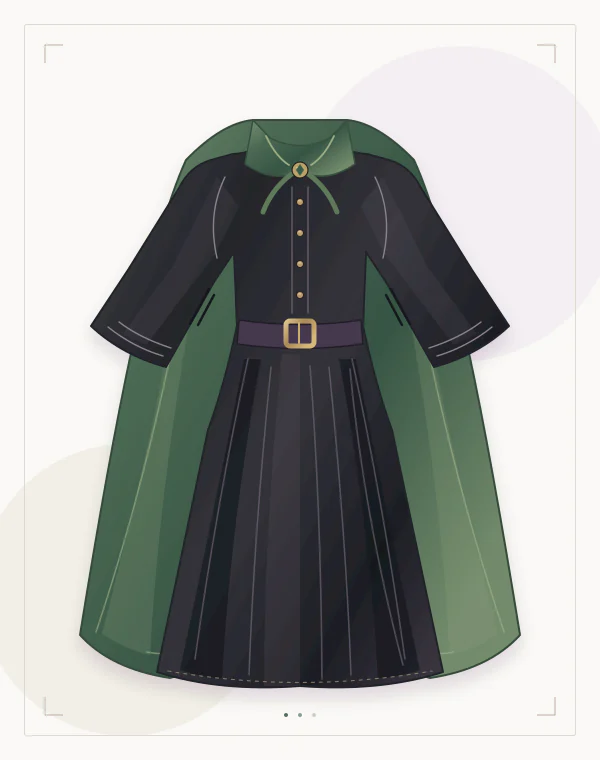
Witch: build around a flowing black layer
Start with a long black robe or dress, adding a dark cape if your reference includes one. The Pioneer Woman’s witch ideas show how a dress and a pointed hat establish a physical costume. Plan the hat separately; this editor’s brief should focus on clothing.
Choose a reference with the neckline, waist and sleeve ends visible. Dark folds can merge, so avoid a photograph where the dress disappears into shadow. Check that flared cuffs do not become extra fingers and that the hem stays within the person photo’s frame. Open the witch preset to prepare the clothing brief.
Vampire: let the collar and cape carry the look
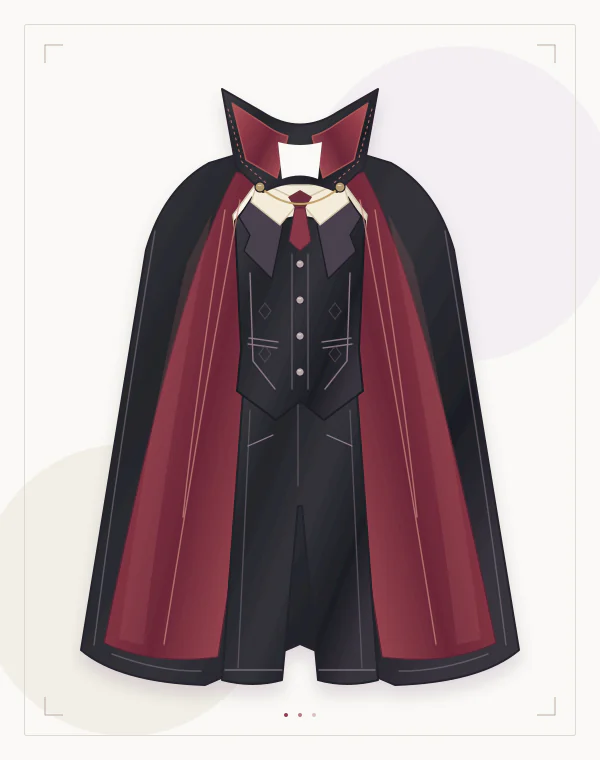
Combine a dark shirt and trousers, or a long skirt, with a cape or long outer layer. Burgundy lining can separate the layers visually. America’s Thrift Stores’ clothing checklist suggests dark capes, rich shirt fabrics and flowing lower layers as useful starting pieces.
Use a reference showing where the cape closes and which fabric belongs to the shirt underneath. An open cape makes those boundaries easier to inspect. Watch the neckline, shoulder attachment and lining edge; a collar should not cover or reshape the jaw. Leave teeth, complexion and makeup unchanged. Use the vampire preset for a garment-focused starting brief.
Pirate: make the shirt, waist and boots readable
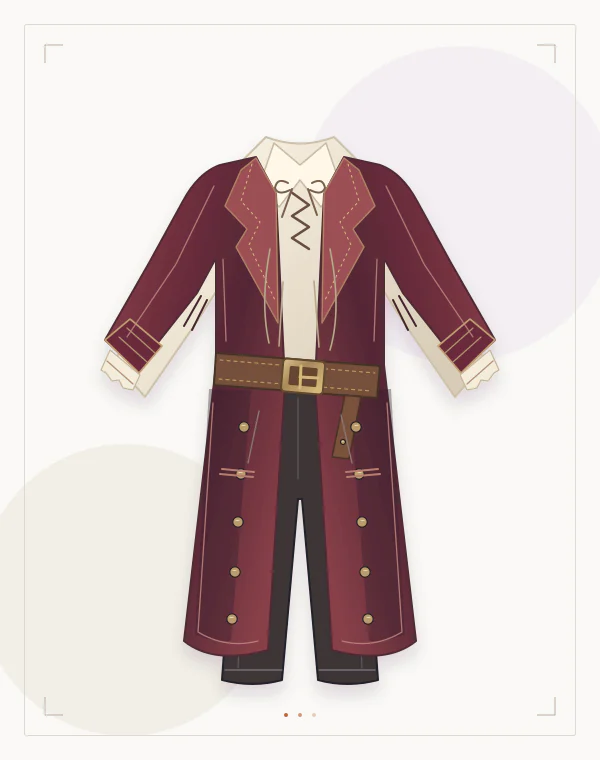
A loose ivory shirt, long dark coat, sash or broad belt, dark trousers and boots give you distinct pieces to assemble. The Instructables pirate tutorial describes a layered approach. Its old prices are not a present-day budget; use the clothing list to inspect your wardrobe.
Photograph the reference with the belt visible and the shirt sleeves separated from the torso. Avoid props covering the waist. After editing, check that the sash has not become a second belt, cuffs still meet the wrists and the coat remains separate from the shirt. Keep weapons and facial scars out of the brief. Start with the pirate preset.
Skeleton: choose a clear bone-print layout
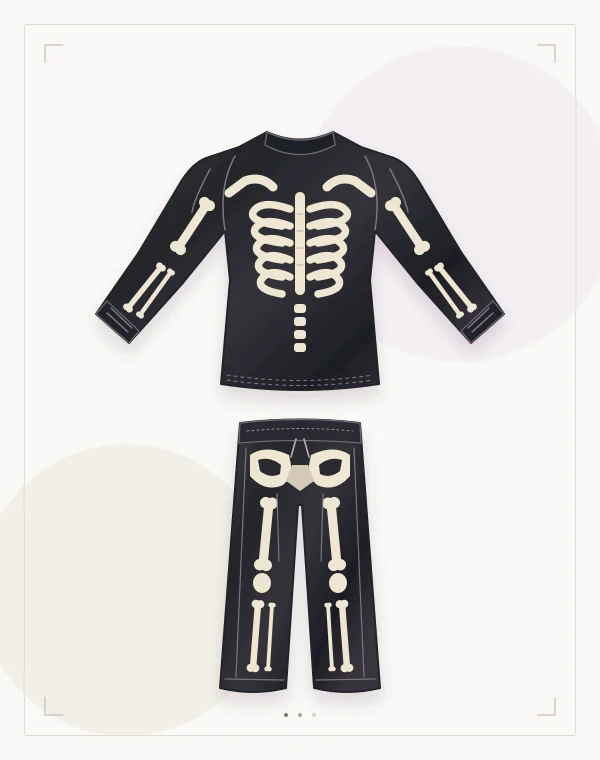
Use a black long-sleeved top and trousers with pale bone shapes. The Homes I Have Made’s tutorial explains measuring the garment before placing the shapes. That is useful planning for a real outfit: the ribs and limb graphics need to fit the clothing panels.
For the edit, choose a front reference that clearly shows the ribs, sleeves and trouser print. A curled or overlapping garment hides the layout. Compare rib spacing, the central line and graphics at elbows and knees. Do not accept bones drifting onto exposed skin. The image is a visual preview, not an anatomically exact print transfer. Use the skeleton preset.
Gothic: distinguish the dark fabrics and structure
Try a high-neck lace blouse, structured waistcoat and long skirt or trousers, or a velvet dress with defined seams. Midnight Hour’s styling guide discusses lace, velvet, high collars and layered black clothing. Gothic style also exists beyond Halloween; choose a direction you enjoy wearing.
A useful reference separates opaque panels from lace and shows how the waist closes. All-black clothing needs enough light to reveal its construction. Inspect lace against skin, sleeve boundaries and fastenings; fine patterns may change during generation. Ask for clothing changes while keeping the original face and makeup. Open the gothic preset to outline your edit.
Choose a last-minute costume by the missing piece
Lay out your clothes before choosing a theme. The Yellow Birdhouse’s planning introduction notes that seemingly simple costumes can still need advance preparation. Pick the option with the fewest missing pieces; check actual supplies, local availability and the work involved.
Use your wardrobe to narrow the decision.On a narrow screen, scroll the table sideways.
| What you own | Direction | Check before committing |
|---|---|---|
| Black dress or long skirt | Witch | Sleeves, hem and any separate hat |
| Dark shirt and formal bottoms | Vampire | Cape closure and comfortable layers |
| Loose shirt and dark trousers | Pirate | A visible sash or belt |
| Black top and trousers | Skeleton | A bone design and suitable materials |
| Lace or velvet layers | Gothic | Neckline, opacity and waist structure |
Women’s and men’s ideas: choose the garment first
If you searched for women’s or men’s Halloween costume ideas, compare cuts rather than assigning characters by gender. Any of these directions can use trousers, skirts, dresses or layered separates. Choose the coverage, length and movement you want. A photo preview cannot establish sizing; check measurements and try on the actual clothes.
Take the idea into a photo try-on
Prepare both images
Choose a clear photo of one person with the intended clothing area visible. Add a separate, readable garment reference you have permission to use.
Match the brief to the reference
Open the matching preset and adapt the Halloween prompt examples. Keep only clothing details visible in your reference. Text supplements the two required images.
Review the edit, then try the real clothes
Compare the person, garment details and background before saving. For the physical costume, put on the actual pieces and check sitting, walking and layering comfort.
Questions about this workflow
Can I generate a costume from the idea alone?
No. This editor requires a single-person photo and a separate clothing reference. The preset and optional text help describe the clothing edit; they do not replace either image.
Are the illustrations examples of your try-on results?
They are original costume illustrations for planning. They do not demonstrate a tested Halloween photo edit, exact garment reproduction or physical fit.
Can I use a group photo, pet photo or video?
No. This workflow supports one person in a still photo. It also does not provide makeup changes, teeth changes or a background editor.
Sources & further reading
Source-check record: 24 October 2026. Use the publishers’ links below for their own workflows.
- The Pioneer Woman: DIY witch costumes
The introduction and black-dress costume examples support the wardrobe starting point and pointed-hat cue for a physical outfit. No popularity ranking or makeup instructions are adopted.
- America’s Thrift Stores: a DIY vampire costume
The clothing checklist describes dark coats or capes, velvet or silk shirts, trousers and skirts. This 2024 retailer article supplies garment ideas, not current inventory or prices.
- Instructables: assembling a pirate costume
Original tutorial by stinkymum, published in 2008. Steps 3, 4, 7 and 8 describe trousers, loose shirts, belts, scarves and boots. Historical costs and shopping claims are excluded.
- The Homes I Have Made: a DIY skeleton costume
The measuring and assembly sections explain positioning bone shapes on a black shirt, sleeves and trousers. Referenced for clothing layout; the author’s completion time and images are not reused.
- Midnight Hour: goth Halloween costumes from your closet
The visual-signals and romantic/Victorian sections discuss lace, velvet, high collars and structured layers. This is brand-authored styling guidance, not an independent trend study.
- The Yellow Birdhouse: last-minute costume planning
The introduction distinguishes household-item projects from costumes requiring advance preparation. Used for the supplies-first approach; original timing and delivery suggestions are not promises here.